Assign SEAG practice papers to your whole class, track every pupil's progress and identify topics that need more attention, all from one teacher dashboard.
Get a School QuotePer-pupil pricing from as little as £9 per pupil per year. Get in touch for a tailored quote.
Class Management
Manage your whole P7 class in one place
Analytics
Topic-by-topic performance breakdown
Assign Papers
Set papers for the class or individuals
Custom Tests
Select exactly which questions to include
SEAG Success gives teachers the tools to deliver high-quality SEAG preparation at scale, without the extra workload.
See every pupil's performance at a glance: scores, time spent, topics attempted and areas of difficulty. Know exactly who needs extra support before they fall behind.
Set a paper for the whole class at once, or assign targeted practice to specific pupils. Set a deadline, choose timed or untimed, and review results when pupils are done.
Teachers can browse the question bank and select exactly which questions appear on a custom test, ideal for focusing on a specific topic like 24-hour clock or apostrophes.
Teachers can write and add custom questions to their tests, great for incorporating class-specific content or questions you've used in your own preparation materials.
Track how each pupil's scores develop from their first paper to their last. Identify trends, celebrate improvement and catch any pupils who may be struggling early.
Pupils join via a school invitation code. No lengthy registration process. They log in using their school email address, making it simple for every P7 pupil.
Optional weekly leaderboard showing the top 5 pupils by XP, average score or most improved. Resets every week so everyone gets a fair chance. Teachers can enable or disable it per class.
Built a great custom paper? Share it with other teachers in your school. Clone shared papers to make your own version. Collaboration without the hassle.
Screenshots from a live school account — what your teachers will use every day with their P7 class.
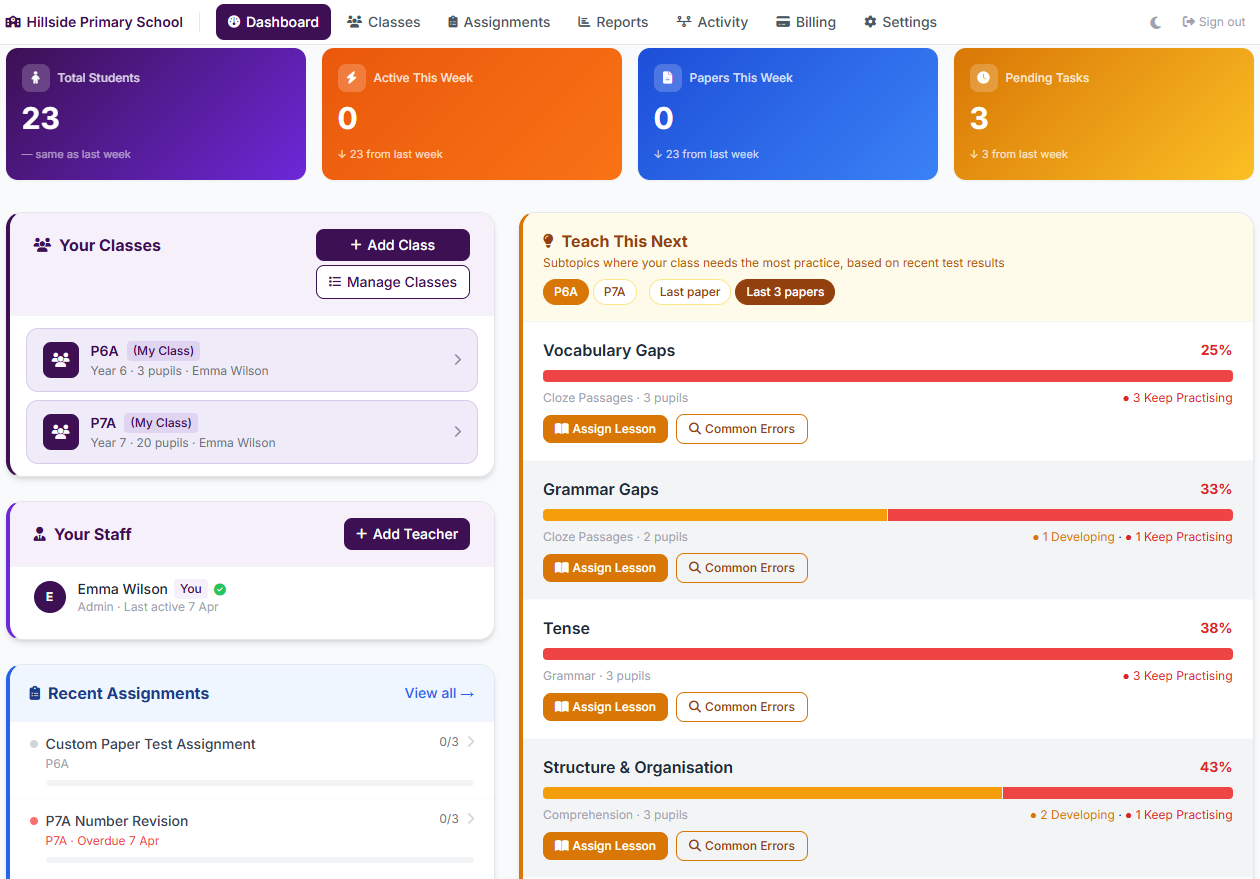
Your command centre: class stats, the topics your pupils are finding hardest, and recent assignments — all on one screen.
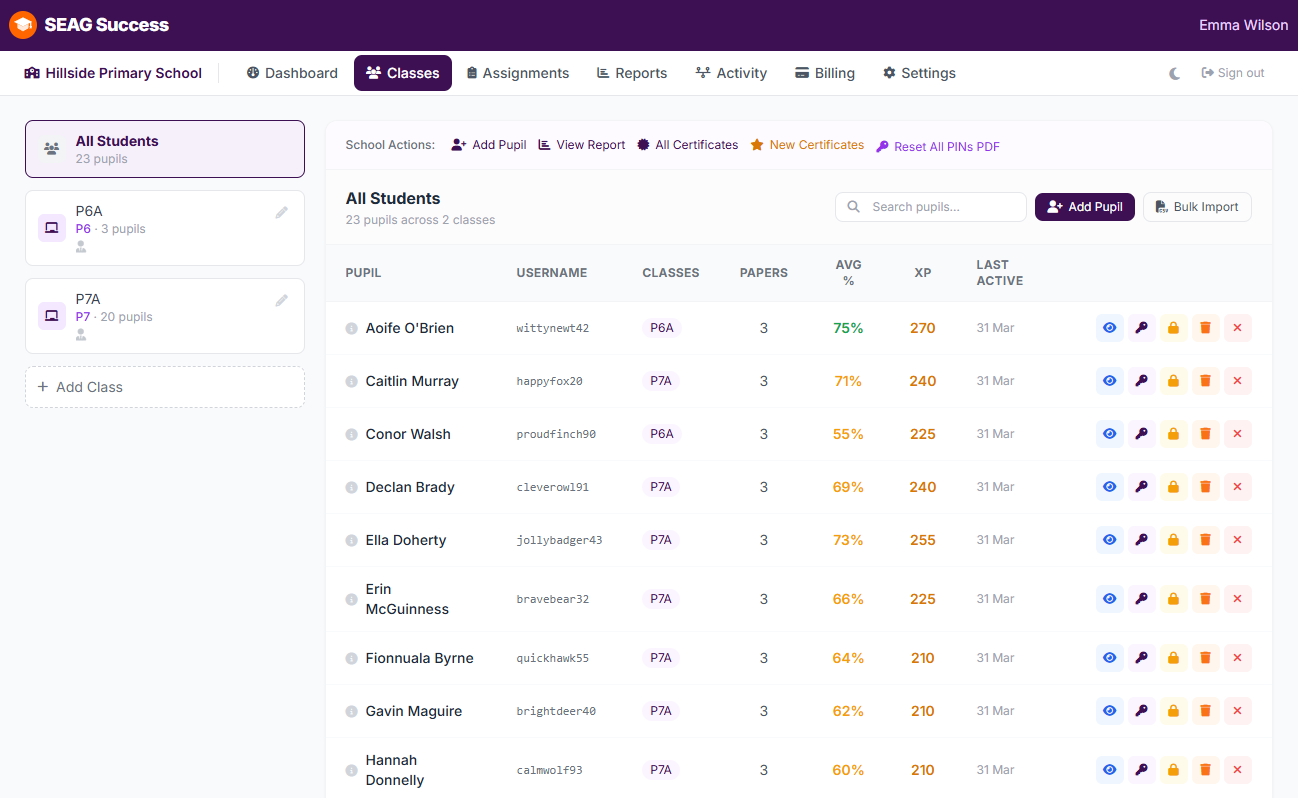
Every pupil at a glance — average score, papers done, last active. Click any name to see their full profile and topic breakdown.
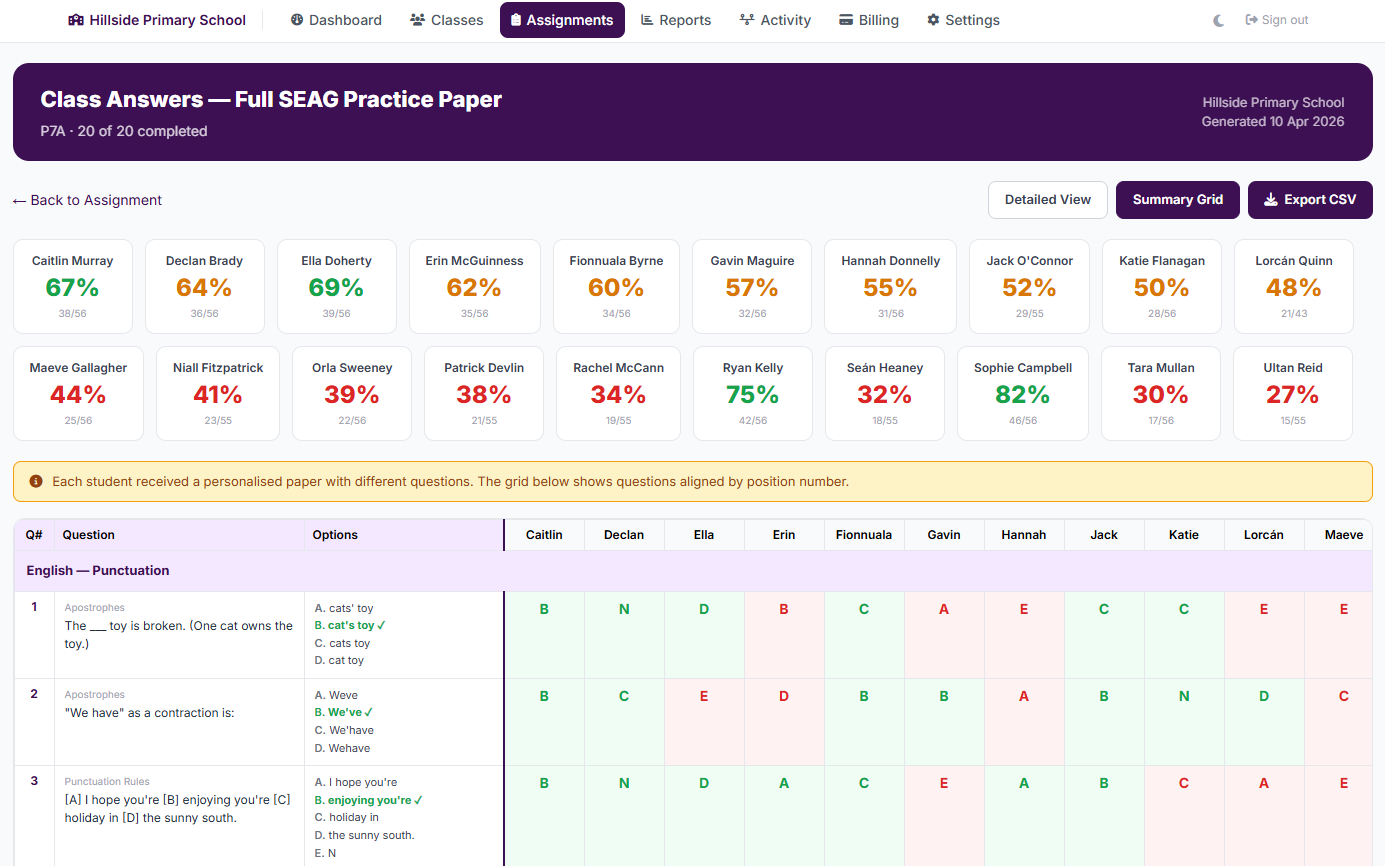
See exactly which questions each pupil got right or wrong. Colour-coded score cards at the top, detailed answer grid below.
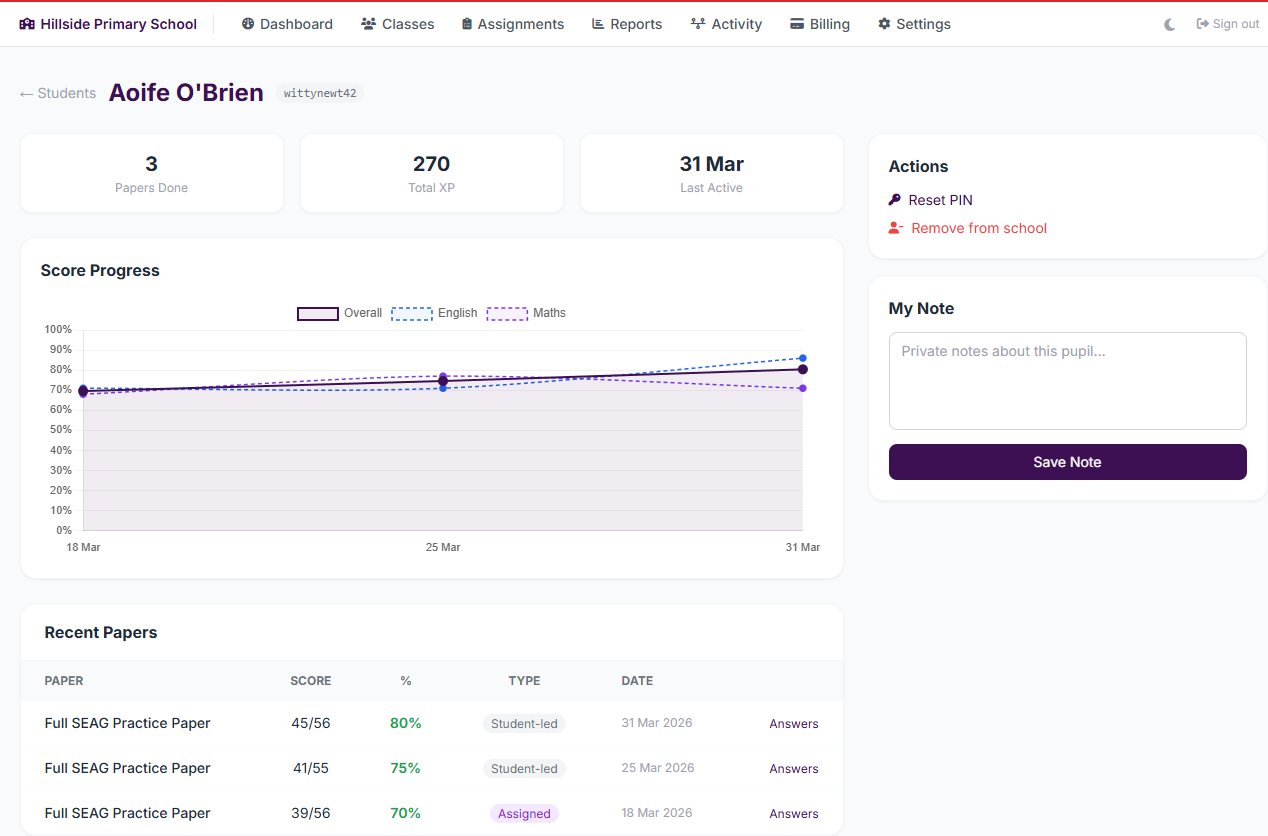
Track each pupil's progress over time with score charts, XP totals and a private notes area for teacher observations.
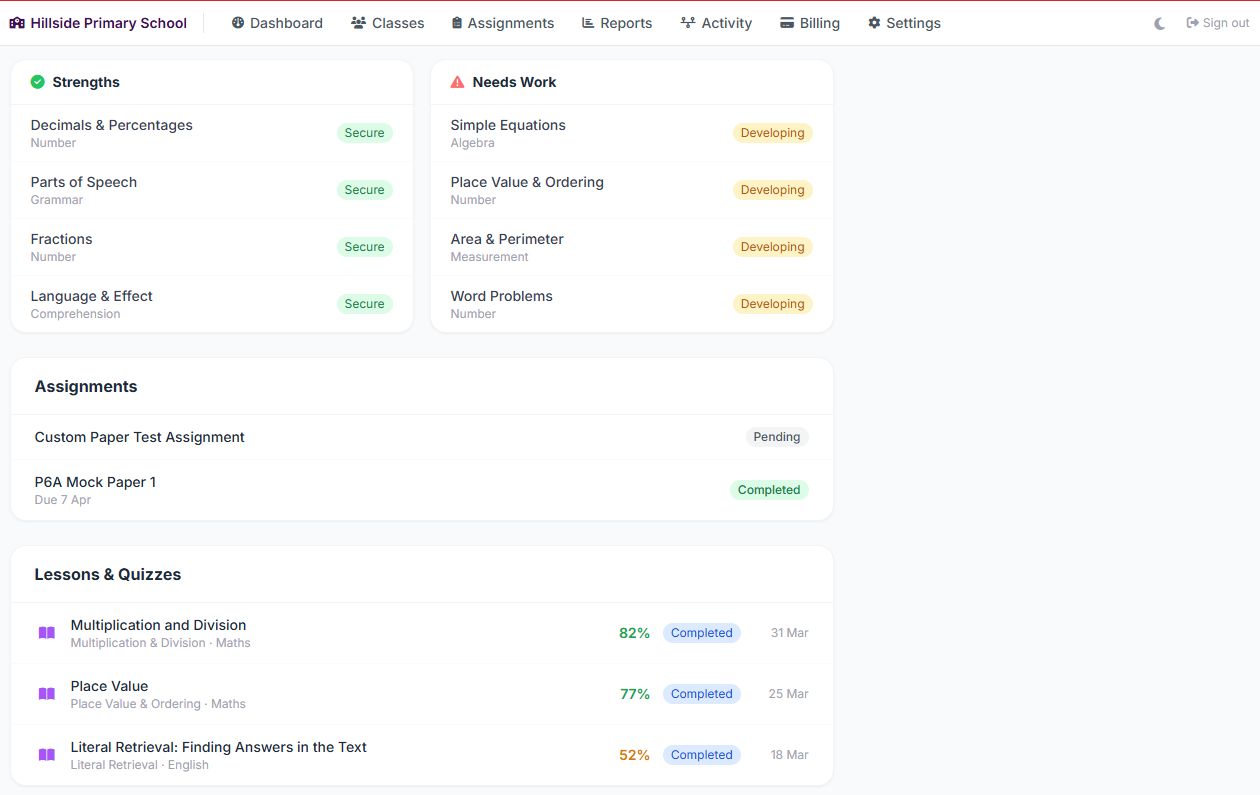
Each pupil's topics split into strengths and areas needing work, plus their assignment and lesson completion history.
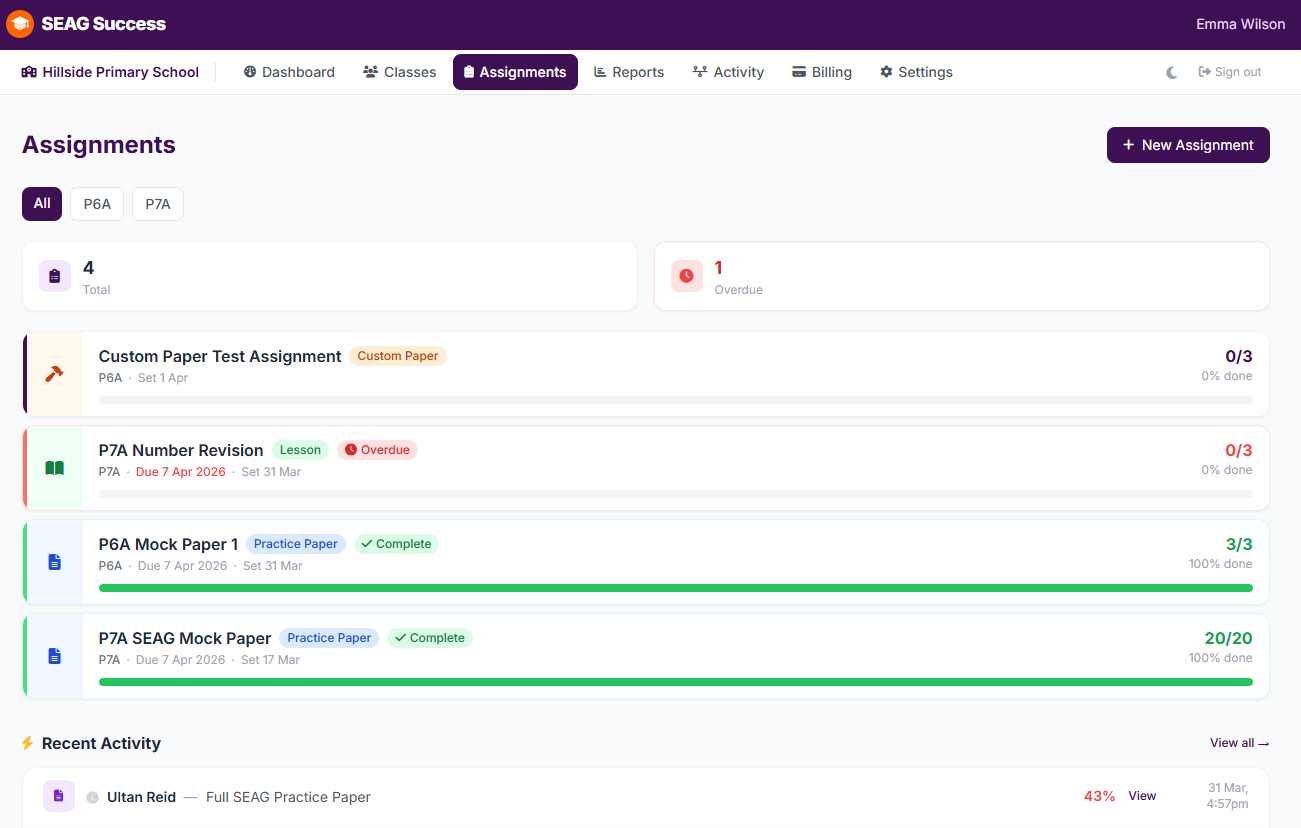
Set papers for the whole class or individuals. Track who has completed them, scores at a glance, and recent activity.
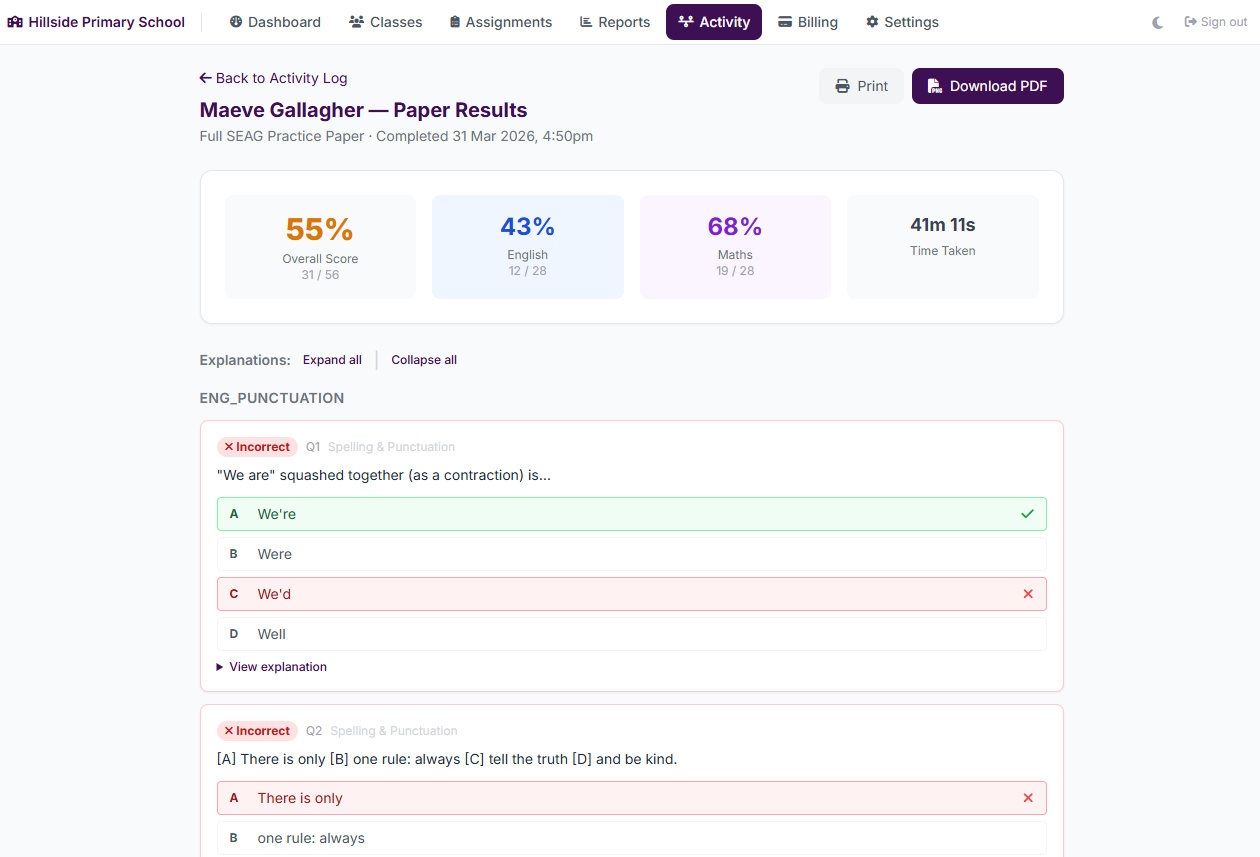
Drill into any pupil's paper to see their score, time taken, and every question with the correct answer and explanation.
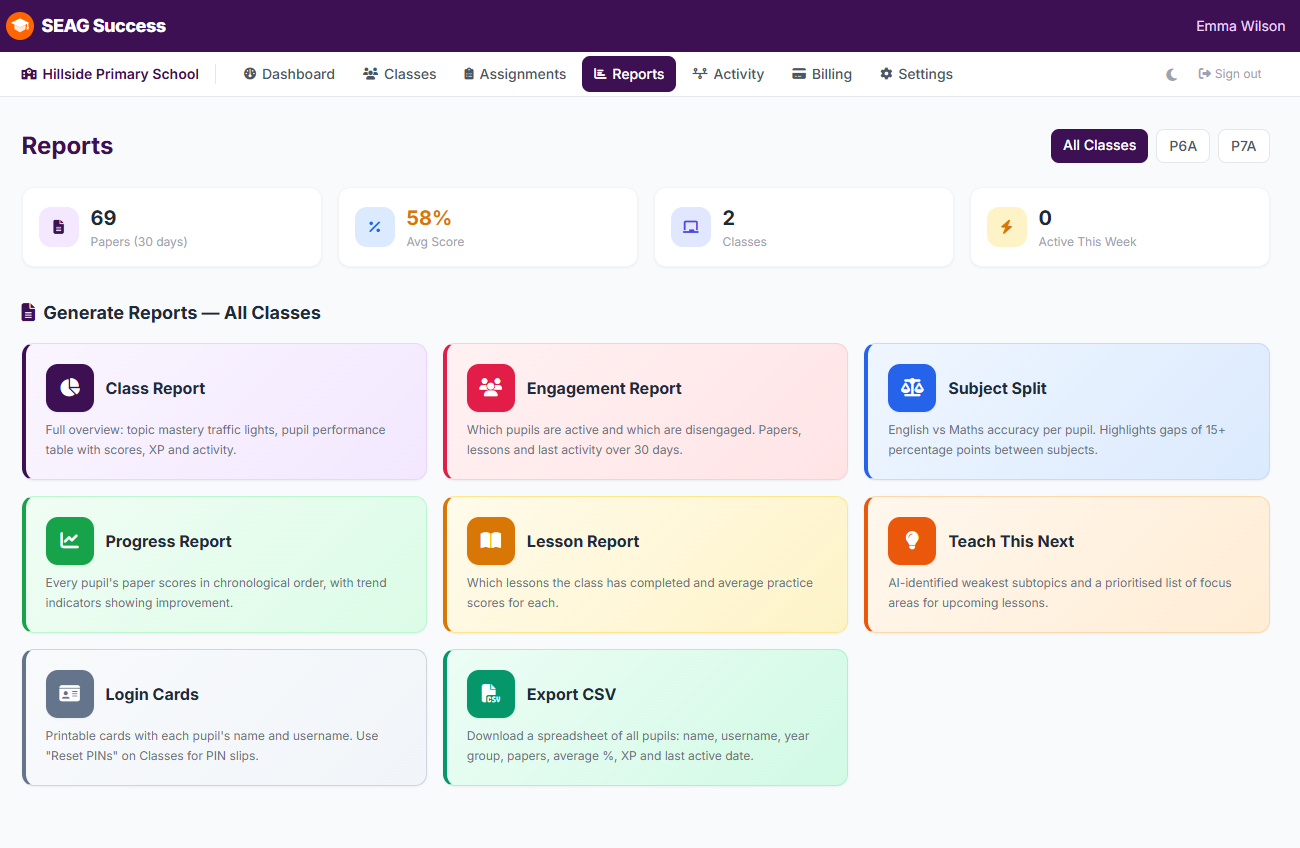
Eight ready-made reports — class overview, progress trends, engagement, subject split, and more. Print or save as PDF in one click.
These are real PDFs generated from a live demo school. Print, email, or hand out at parents' evenings.
Whole-class overview with topic mastery breakdown and per-pupil traffic-light scores.
Download PDFScore trends across every paper, with charts showing each pupil's improvement over time.
Download PDFPer-pupil subject split showing who is stronger in English or Maths and by how much.
Download PDFAI-powered recommendations showing the weakest subtopics, pupil breakdowns and common errors.
Download PDFParent accounts see one child. School accounts see the whole class — and a lot more besides.
Whole-class heat map & Teach This Next
Class-wide topic mastery surfaces automatically. Plan tomorrow's lesson in 30 seconds.
Custom Paper Builder
Auto-pick by topic, drag from the bank, write your own. Share finished papers with the rest of your staff.
Bulk PIN slips & certificates
Print login slips for the whole class in one PDF. Ditto end-of-term badge certificates.
Sprint game class leaderboard
Quick-fire quiz with a live leaderboard. Resets weekly so every pupil has a fair shot.
CSV export & bulk class import
Pull every score, badge or assignment to a spreadsheet. Bulk-add a whole year group from one file.
Approve teacher-written questions
Lead teacher reviews custom questions before they go live in pupil-facing papers.
Complete our school enquiry form. Pricing is per pupil, starting from as little as £9 per pupil per year depending on the number of P6 and P7 pupils, and we'll put together a tailored quote for your school.
Your school gets a dedicated admin account. Teachers receive logins and access to the teacher dashboard straight away.
Share your school invitation code with pupils. They register with their email address, simple enough for every P7 child to do independently.
Assign practice papers, review results and use the analytics to inform your classroom teaching right up to exam day.
Complete our short enquiry form and we'll be in touch within one working day.
Make a School EnquiryOr email us directly at info@learningsuccess.co.uk
